About Me

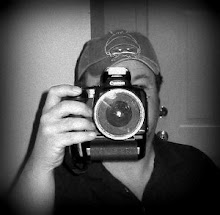
My photo
Photography isn't a hobby- it's a lifestyle. Bought my first 35mm Camera at the age of 15, and haven't put in down since. Have shot over 200 weddings. http://normthephotoguy.com

Saturday, February 25, 2006

Canon Presents 20D Successor: EOS 30D - Consumer-SLR


Canon Presents 20D Successor: EOS 30D - Consumer-SLR

February 21, 2006 - Canon modified its fleet of digital single lens reflex cameras today with the announcement of the Canon EOS 30D. This DSLR succeeds the 20D but keeps many of the same core features. It has the same 8.2 megapixel CMOS chip and pairs it with a DIGIC II image processor. Both models have a fast 5 frame-per-second burst rate and a 9-point auto focus system. The 30D adds a larger 2.5-inch LCD monitor and borrows several interface and workflow oriented features from the freshly released Canon EOS 5D. The Canon EOS 30D will be available mid-March for $1,399 for the body only or a hundred dollars more when sold with the 18-55mm kit lens.

The Canon 20D has been on the market for nearly 18 months, but consumers still eyeing it as an option need not worry. “We recognize the enormous potential of the advanced amateur digital SLR market,” said Yukiaki Hashimoto, senior vice president and general manager of the consumer imaging group at Canon U.S.A., in today’s press release. “To better support this audience, we will continue to offer the EOS 20D digital SLR at a slightly more affordable price point of $1,299.”

Mpix Tour

Mpix Tour

Tuesday, February 07, 2006

Fantasy Fest Frappr!

Fantasy Fest Frappr!

NAME="frapprGroupPhotos" TYPE="application/x-shockwave-flash"
PLUGINSPAGE="http://www.macromedia.com/go/getflashplayer">

Sunday, January 29, 2006

Amazon, Buy.com, Half.com, Netflix, Overstock.com, Paypal & Yahoo's Phone Numbers


Chip Chick: "rackBack (0)
Amazon, Buy.com, Half.com, Netflix, Overstock.com, Paypal & Yahoo's Phone Numbers

G439 A round of applause for Nancy-Lang Feldman of Computer Shopper Magazine who did some research and created a list of the big shopping site's phone numbers for her 'Consumer Alert' column. I love shopping on Amazon.com, but have you ever tried finding their phone number? Good Luck!
Here is the list, so get ready to copy & paste.
Amazon.com: 800-201-7575, 206-266-2335
Buy.com:
Half.com: 800-545-9857
Netflix: 800-585-8137
Overstock.com: 800-843-2446, 800-989-0135
Paypal: 888-221-1161,402-935-2050
Yahoo: 408-349-1572

07:39 PM in Web/Tech | Permalink | Comments (0) | TrackBack (0)"

Wednesday, January 18, 2006

Detroit Auto Show Woman caught naked in late-night rendezvous with Dodge Challenger - Autoblog


Detroit Auto Show (Un)Wrapup: Woman caught naked in late-night rendezvous with Dodge Challenger - Autoblog: "Detroit Auto Show (Un)Wrapup: Woman caught naked in late-night rendezvous with Dodge ChallengerPosted Jan 18th 2006 1:00PM by Chris PaukertFiled under: Detroit Auto Show, Sports/GTs
We knew from the moment we clapped eyes on the Dodge Challenger concept at its North American International Show premiere that it was one sexy machine. Admittedly, that Daimler-Chrysler chose to reinforce this fact by trotting out Desperate Housewives’ star Eva Longoria didn’t hurt their chances with assembled masses, either.But that wasn’t enough, at least for one woman. According to the Associated Press, Cobo Hall guards found a female splayed out au natural, sheetmetal-to-sheetmetal with the Challenger at 2:30am Monday morning-- a time when the venue should’ve been sewn up tighter than the panel gaps on the new Lexus LS 460. Authorities found the model encircled by about a dozen rubberneckers with camera phones.
Aninternal investigation (of the security breach!) is pending."

Detroit Auto Show 2006 Loop

Detroit Auto Show 2006

Monday, January 09, 2006

Eagleye Radio Control Digital Camera Plane


What's the coolest thing you can buy at Wal-Mart? It very well may be this RC airplane with built-in DIGITAL CAMERA. You take pictures from the plane by pressing a button on the remote. It's perfect for gadget geeks who already have everything else, nosy kids and peeping toms.

Monday, December 26, 2005

Google Tips

Subnixus: The last days of a nine to five. � Google Tips: "75 - Google Tips"
After reading a thread on Digital Point, I realized that a lot of people still don’t know about all the Google Operator commands. This list will help you control your Google search. There are a few more commands out there, but these are the ones I find most useful… feel free to add your own in the comments.

link:www.yoursite.com - This command will show you all of the backlinks to your site. Handy tool for finding out who is linking to you.

related:www.yoursite.com - This command will show you a list of pages that Google thinks are related to your site in some way.

site:www.yoursite.com - Searches only those pages from the site you list.

allinurl: - If you start a query with [allinurl:], Google will restrict the results to those with all of the query words in the url. For instance, [allinurl: google search] will return only documents that have both “google” and “search” in the url.

define: - The query [define:] will provide a definition of the words you enter after it, gathered from various online sources. The definition will be for the entire phrase entered (i.e., it will include all the words in the exact order you typed them).

inurl: - If you include [inurl:] in your query, Google will restrict the results to documents containing that word in the url. For instance, [inurl:google search] will return documents that mention the word “google” in their url, and mention the word “search” anywhere in the document (url or no). Note there can be no space between the “inurl:” and the following word.

allintitle: - If you start a query with [allintitle:], Google will restrict the results to those with all of the query words in the title. For instance, [allintitle: google search] will return only documents that have both “google” and “search” in the title.

intitle: - If you include [intitle:] in your query, Google will restrict the results to documents containing that word in the title. For instance, [intitle:google search] will return documents that mention the word “google” in their title, and mention the word “search” anywhere in the document (title or no). Note there can be no space between the “intitle:” and the following word.

cache: - If you include other words in the query, Google will highlight those words within the cached document. For instance, [cache:www.subnixus.com web] will show the cached content with the word “web” highlighted.

info: - The query [info:] will present some information that Google has about that web page. For instance, [info:www.google.com] will show information about the Google homepage. Note there can be no space between the “info:” and the web page url.

spell: - Does a spell check of any given word.

stocks: - If you begin a query with the [stocks:] operator, Google will treat the rest of the query terms as stock ticker symbols, and will link to a page showing stock information for those symbols. For instance, [stocks: intc yhoo] will show information about Intel and Yahoo. (Note you must type the ticker symbols, not the company name.)

filetype: - Does a search for a specific file type, or, if you put a minus sign (-) in front of it, it won’t list any results with that filetype.

daterange: - Is supported in Julian date format only. 2452384 is an example of a Julian date.

maps: - Is a shortcut to do a google maps search.

phone: - Searches for anything that looks like a phone number.

allinlinks: - Searches only within links, not text or title.

allintext: - searches only within text of pages, but not in the links or page title.

Saturday, December 10, 2005

Digital Photography Tips

CLICK HEREDigital Photography Tips: "Digital Photography Tips"
Never connect your camera to the computer
Read this recent forum post in the box below
The biggest and most time wasteful problem facing the digital camera user is the connection between the camera and the computer. If you've been following my forum posts, you've read that I recommend NOT connecting the camera to the computer and NOT installing software with the camera manufacturers name on it. People have sometimes wasted days trying to figure out how to transfer their images. My recommendation is to get a USB card reader (cost about $30) and transfer the images through Windows Explorer. Another advantage not usually mentioned, is that the camera is powered by it's rechargeable battery and the transferring of images can run down that battery turning the camera off during transfer and cause you to loose images. Are your images worth the cost of a $30 card reader?

Universal Photographic Digital Imaging Guidelines: UPDIG

Universal Photographic Digital Imaging Guidelines: UPDIG: "Universal Photographic Digital Imaging Guidelines"
CLICK HERE
These 15 guidelines — along with the accompanying Best Practices documents — aim to clarify issues affecting accurate reproduction and management of digital image files. Although they largely reflect a photographer’s perspective, anyone working with digital images should find them useful. The guidelines have three primary goals:

* Digital images look the same as they transfer between devices, platforms and vendors.
* Digital images are prepared in the correct resolution, at the correct size, for the device(s) on which they will be viewed or printed.
* Digital images have metadata embedded that conforms to the IPTC standards, making the images searchable, providing usage and contact information, and stating their creators or copyright owners.

Thursday, December 08, 2005

Free disk space, make your computer run better


CLICK HERE CleanUp!: " Free
disk space, make your computer run better/faster and protect your
privacy - all in one easy solution. All for free!"

Introducing Windows CleanUp!, the quickest and easiest way to delete temporary files from your system.

CleanUp! is a powerful and easy-to-use application that removes temporary files created while surfing the web, empties the Recycle Bin, deletes files from your temporary folders and more.

CleanUp! frees disk space and reduces the "clutter" on your computer helping it to run more efficiently. It also can be used as a way to protect your privacy on the Internet. You can even instruct CleanUp! to securely delete files making it impossible to retrieve their contents using lower-level disk tools - just another way of protecting your privacy.

No gimmicks here, CleanUp! is so easy to set up and use that you'll have a lean, clean, mean machine in minutes.

Thanks for trying CleanUp!

Saturday, December 03, 2005

SanDisk ImageMate Review - What everone need!


SanDisk ImageMate Review - PhotographyBLOG: "SanDisk ImageMate"
The SanDisk ImageMate is a memory card reader / writer that supports 12 different memory card formats and which connects to your computer via a high speed USB 2 port. The ImageMate is backwards compatible with all USB 1.1 ports and no adapters are required for any of the supported memory cards.

Wednesday, November 09, 2005

Maunsell Towers

The Thames Estuary Army Forts were constructed in 1942 to a design by Guy Maunsell, following the successful construction and deployment of the Naval Sea Forts. Their purpose was to provide anti-aircraft fire within the Thames Estuary area. CLICK HERE FOR MORE INFO

Thursday, September 15, 2005

Photography & Digital Camera Forums - Canon EOS 5D 12.8-Megapixel, Full-Frame Digital SLR - Press Release

New Canon EOS 5D is a Premium Digital SLR at an Affordable Price Offering a Full-Frame Sensor with 12.8 Megapixels of Resolution

Combining the High-End Specs of the EOS-1 Line and the Ease of the EOS 20D Model, The New Canon EOS 5D Camera Is a Premium DSLR for Under $3,300
http://forums.photographyreview.com/showthread.php?t=13852